


Network Rack Phase 2
I was reading on Reddit and seeing how other people have their network racks setup. I stumbled and found these two webpages from the same author.
What caught my attention was this person who owns Dell Rackmount servers. Chose to swap over to using several Raspberry Pi units and replacing his Dell Servers. He shared the same issues I have been finding in the last year or two. The noise, heat, and electricity factor. Having the Dell Server running in a home does get a bit annoying with the noise. Secondly during winter its great of the heat but not so much during summer. The Dell Rackmount Server hardware is very powerful but comes at a cost. It is a great hands on to seeing the hardware in person. Getting the idea on how to troubleshoot server hardware issues.
With the new Raspberry Pi 4 models, it has a lot more RAM onboard. Which is opens up more of the possibilities of running more systems on multiple Pis. Raspberry Pi 4 are cheaper to purchase, easy to use, and low in power. Having to re-think about how to re-design my network rack to incorporate Raspberry Pis. The first thing was seeing what hardware I can re-purpose, before purchasing more hardware needlessly. Having purchased a mac mini from 2016 that helped with my Mac Certifications. I wanted to have the Mac Mini run on Server 2016. Most of the forums stated that it will not work with Bootcamp, since Server 2016 is not supported. Only option was to run via parallels or virtualbox within MacOS. I had retired an old laptop and repurposed the SSD drive to upgrade the Mac Mini. The SSD had windows 10 installed. I performed the hard drive upgrade on the Mac mini. It booted up very quickly and noticed something unexpected. The Mac Mini booted to Windows 10 with no issues at all. I figured, let me install Server 2016 since the hard drive is partitioned for Windows OS. The installation went well. Now my mac Mini was running Server 2016 without having to install MacOS. The Mac Mini is smaller, quieter, and uses way less energy than my Dell. The server is now running DHCP, DNS, AD, and Fax/Print Server.
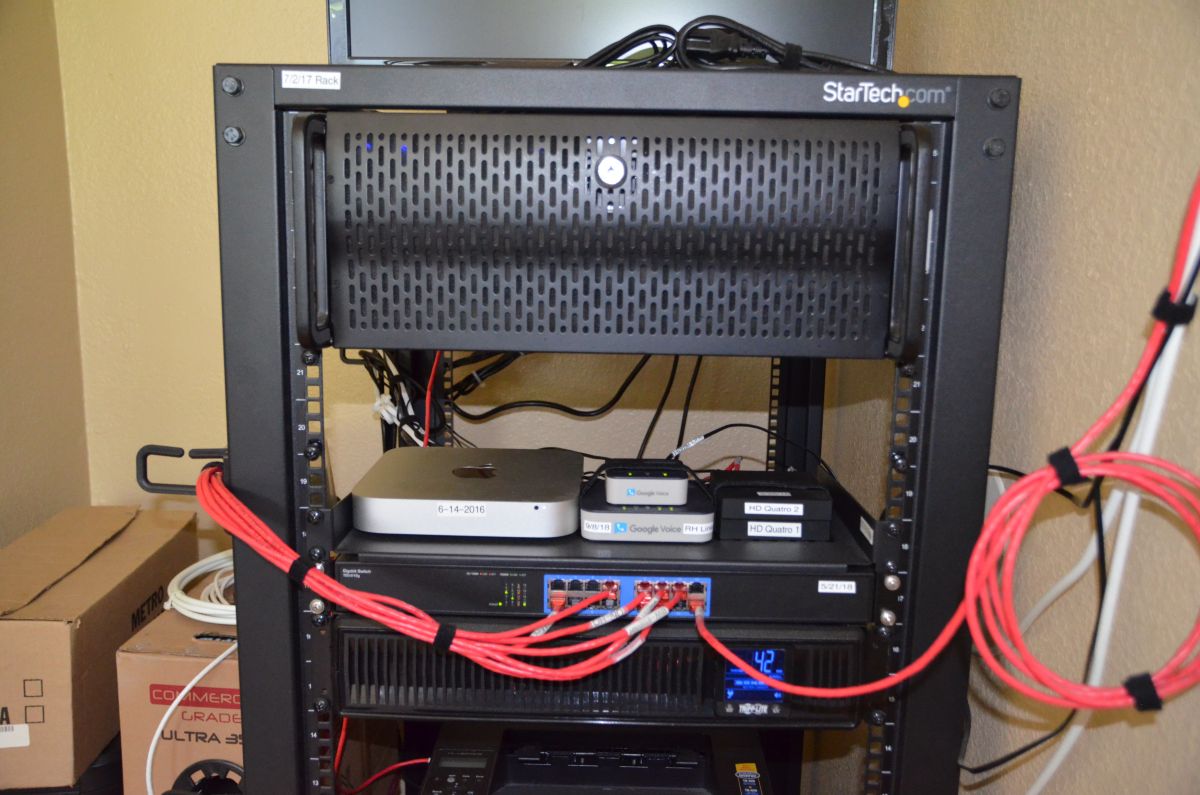
Secondly, I removed the Dell Server from my network rack. Re-positioned the network equipment. Made new cables and installed more cable management hooks onto my network rack. Velcro and Zip Ties are your best friend. Underneath my Freenas System, I left a 2U space for the new Raspberry Pi Modules. Just like how the Author from the above links has his setup. For the NAS it is running Freenas 11.3 along with Plex, Tautulli and Syncthing. The NAS has priority on the UPS. The rest are connected to the UPS as a Surge Protector. Obihai and the Network Antenna Tuners are stacked on a rack shelf. I have a KVM HDMI 4 port switch that I pulled from my desk. I will add another shelf on the back side to accommodate the KVM Switch. This will help when I bring over computers for repair. I can have them on the floor and control them at the top of the Freenas Server using the KVM Switch. Phase 3 will be the completion of all modules connected and working..

Whole Rack Phase 2

Empty Space will be 2U of Raspberry Pi

Neat and Organized Cabling
The modules that I plan to include on the rack:
- Firewall/DDNS/ to replace Home Wireless Router.
- PiHole
- IDS/IPS system
- Network Monitor
- DNS Lancache Server
- Linux Game Server
- VPN (To replace the one on the wireless router)
- Mumble
- URL Shortner
- MineOS
- Mastadon Server
- LAMP
- and many more
